
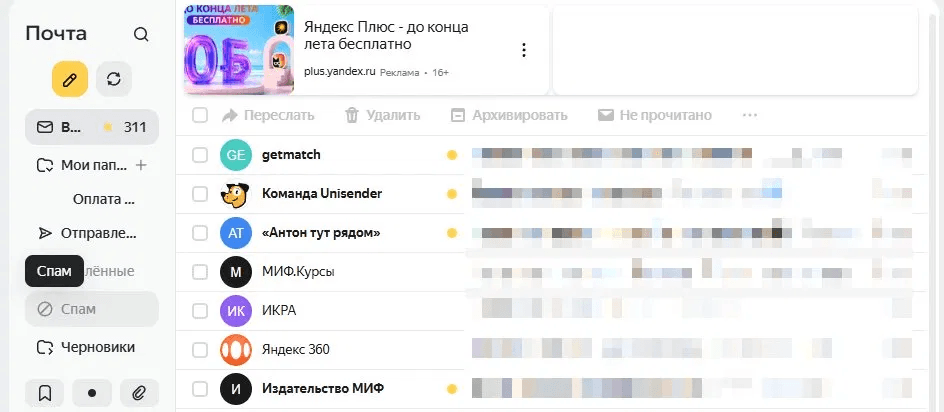
A verification code never arrives, and the user can't log into their account, place an order, or finish signing up. Let's break down where the chain breaks and how to fix it.
The email landed in spam
This is the most common cause. Mail clients — Gmail, Yandex, Mail.ru — automatically filter emails from unfamiliar senders. Transactional emails with codes get caught by these filters when the sending domain lacks configured SPF, DKIM, and DMARC records, or when its reputation is low.
What to check: open the "Spam" folder and look for the email there. If you find it, mark the sender as trusted so future emails land in your inbox.

A mistyped address
It's easy to mistype a letter or the domain during sign-up — writing gnail.com instead of gmail.com, or leaving out a period. The email goes to a nonexistent address and never arrives.
What to check: make sure you entered your address without typos during sign-up. If you made a mistake, sign up again or contact the service's support team.

The email is still on its way
Transactional emails usually arrive within seconds, but sometimes they're delayed by 5–10 minutes due to a queue on the sender's end or on intermediate servers. During peak load hours, the delay can reach 15–20 minutes.
What to do: wait a few minutes before requesting the code again. Requesting it repeatedly too often can sometimes block sending on the service's end.
The mailbox is full
If a mailbox has hit its limit, new emails aren't accepted — they get rejected right at the mail server level. The sender gets a delivery error, but the user never finds out.
What to check: go into your mail settings and check how much space is being used. Delete unneeded emails or empty the trash.

The email was blocked by a corporate filter
Corporate mail servers are often configured more strictly than regular ones. Emails with verification codes can get blocked by a company's security policy — especially if the service is new or unfamiliar.
What to do: try using a personal Gmail or Yandex address instead of your work one. Or ask your system administrator to add the sender's domain to the whitelist.
The problem is on the sender's side
Sometimes the issue isn't the recipient's mailbox but the service's infrastructure. The causes can vary: the sender's IP address landed on a blacklist, the sending limit ran out, or there was a technical failure at the ESP.
How to check: visit the service's status page — most major platforms publish one at status.[service name].com. If there's an incident listed there, all you can do is wait.
The code expired
Verification codes are only valid for a limited time — usually 5 to 30 minutes. If you opened the email later, or waited too long to enter the code, it's already expired.
What to do: request a new code and enter it as soon as you get it.
What to do first
If a code doesn't arrive, check these in order:
- The "Spam" folder and the "Promotions" tab in Gmail
- Whether you entered the address correctly
- Wait 10 minutes and check again
- Request the code again
- Try a different email address
- If nothing helps, contact the service's support team
For service owners and marketers
If users regularly complain about codes not arriving, the problem is on your end.
SPF, DKIM, and DMARC aren't configured. Without these records, emails get treated as potential spam. Setting them up takes an hour, but it fundamentally changes your deliverability.
Transactional and marketing emails go out from the same domain. Domain reputation drops because of mass sends, and that hurts the deliverability of your codes. Separate the streams: send transactional emails from a dedicated subdomain.
There's no deliverability monitoring. Connect Postmaster Tools from Gmail and Yandex Mail — they'll show your domain's reputation and spam complaint rate in real time.
A slow sending queue. Verification codes need to go out instantly, in a priority queue. If transactional emails are processed in the same queue as mass sends, delays are inevitable.