
This section has everything you need to quickly get oriented on the platform and start working with the email editor
Important: if you can't find the information you need, please use the support widget in the bottom right corner of the screen.
Introduction
Welcome to Letteros — a platform for quickly and conveniently building branded email templates.
Our goal is to make building emails as simple and predictable as working with a document: you assemble the email from ready-made blocks, tune the style to match your brand, check the preview, and export it to any sending system.
Letteros is built for marketing, design, and content teams: you no longer need to know HTML or depend on coders. All editing happens right in the visual editor, intuitively and visually.
How to create an account and get started
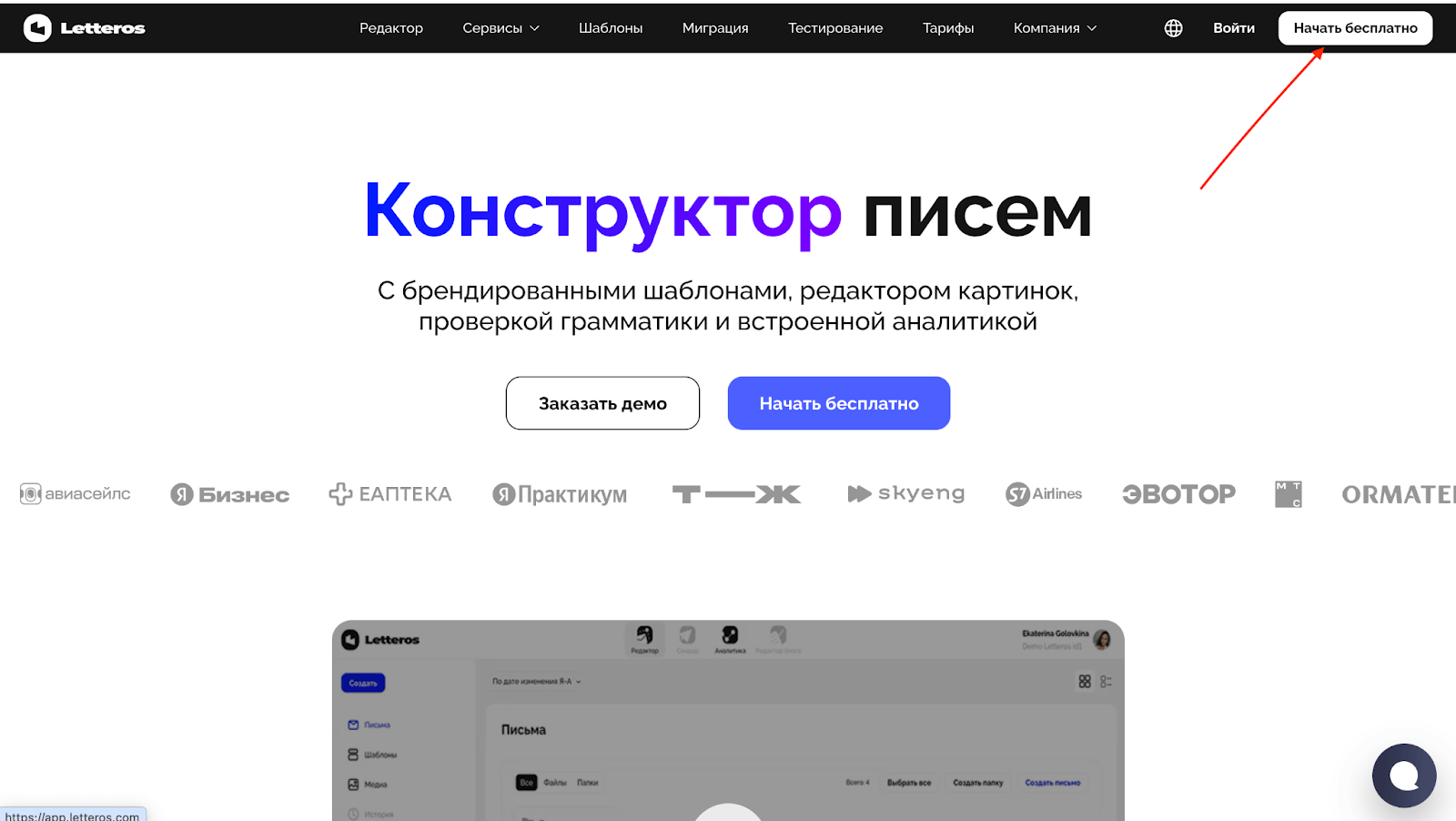
1. Click the "Start for free" button on our website

2. Next, enter your email: personal or corporate.

3. Fill out the form: enter your name, phone number, project name, and come up with a strong password. Make sure to check the box agreeing to the Terms of Use and Privacy Policy.
4. After submitting the form, open your email — you'll get a message with a link or a "Confirm email" button. Click it to activate your account. If the email doesn't arrive within 5–10 minutes, check your "Spam" and "Promotions" folders.
⏳ If the email doesn't arrive within 5–10 minutes, check your "Spam" or "Promotions" folders.
If the confirmation still doesn't arrive, contact support, and we'll help activate your account.
Now you have a Letteros account! Check out the following knowledge base sections to learn how to create your first project and build your first email today.
Next section — Interface Overview