
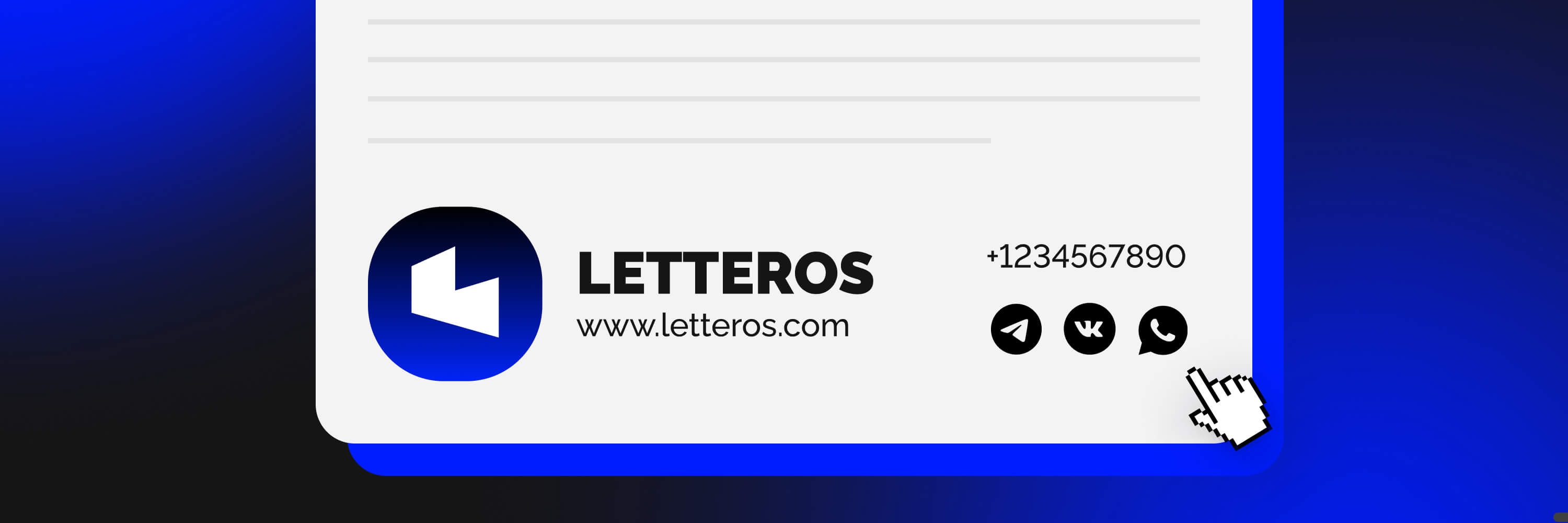

We explain and show with examples how to sign off your campaign so it does real work for your business in email communication.
When marketers talk about email communication, they always pay attention to elements like the subject line and email preheader, the main banner, and buttons. And very rarely does the conversation turn to the footer, where the signature is usually placed.
But today we'll talk about email signatures, which, when used correctly, can become another working tool. And we'll show you some of the best examples of email signatures.
5 elements of a good signature
Everything you need to build the perfect corporate email signature. Yes, a simple "Best regards" won't be enough.
A good email signature is an example of how you can show you care and get one more touchpoint with the user.
Company name
The most important part of an email signature. Since most campaigns aren't personalized, and the text in them isn't written on behalf of an employee but on behalf of the company, its name is essentially the signature.
Even if the email's author is a specific employee, it's important to include the company name, since the email remains a corporate one. Make sure it's written correctly and reads easily.
Logo or photo
Your company already has a nice logo, and the signature at the bottom of the email is the best place to put it. We should not only remind the reader of the brand name, but also create a visual association.
If the email is signed with an employee's name, include their photo: readers like to see who's writing to them. A logo and an employee photo — the perfect pair.
Contact details
Many companies list the email address the message was sent from in the contact information section. That's unnecessary. It's better to give a phone number or embed a messenger link in a button. This makes it easier for the reader to reach you.
Social media
A proper signature in a company's email communication definitely can't do without these icons. Add everything here where a newsletter reader can find you to follow: your VKontakte group, Telegram channel, YouTube link, or Yandex Zen.
Present the fullest and most active of your social media accounts, the ones genuinely worth following. This helps maintain contact with customers and build sufficient brand loyalty.
Name and position
If you've decided to send a campaign on behalf of a specific employee, include their name and job title. This is very important if the email is personalized. It's also useful to add a phone number — it shows that you're open to talking.
The recipient should know what the person writing to them does and how they can be addressed. A simple, formal, but effective move that will make the subscriber feel closer to you.
10 simple tips for creating the best signature
Recommendations for designing your footer — no "best wishes", but plenty of value for you and your recipients.
More functionality
The first and most important tip: the signature in your email should be useful. Focus on making it perform one or several functions: providing the necessary contact, opening up a way to give feedback, or reminding the reader of something important right in the email.
Don't forget the elements listed above — they alone will already create a cohesive, useful block.
Add everything you need
The elements listed at the start of the article probably won't be enough for you. Add whatever you might need specifically. Working abroad? Include the country code in your phone number. Waiting for requests from foreigners? Add a signature in English.
There can be many such additional elements — it all depends on the specifics of your business and the particular email.
Cut out the excess
Look at the signature through the recipient's eyes. If the signature shifts focus away from the body of the email and exceeds 6-7 lines — it's a bad signature. Skip long lists and overly bright animated images, even if they seem beautiful and add style. It's also worth paying attention to the text — a corporate tone always underscores the brand's status, but you shouldn't slide into pure formality.
Cut out unnecessary things — for example, the line "Sent from my iPhone". Listing the email address the message was sent from is also unnecessary.
Don't forget about pleasant design
The signature at the end of an email is also about design. It shouldn't differ too much from the style of the mail campaign itself, but it should still be noticeably a separate block. It should draw attention without concentrating it entirely on itself.
Use bright colors, but don't overdo it with your choices. Stick to one or two shades that match your line of work.
The more formal the email, the more minimalist the signature can be.
Match your corporate image
We already touched on this tip a bit in the previous point, but it's worth going into more detail. If you're in a creative industry, a signature on an orange or bright green background is quite fitting. But if you run a legal or construction company, it's better to send campaigns in more restrained tones — both in the signature and throughout the whole email.
The same applies to the words chosen for the signature, and even the social networks chosen for the footer. Check that all of it is appropriate and doesn't contradict the company's image.
Address the reader with respect, but don't get carried away with an overly formal, business-like, dry tone. After all, it's always nice to receive "human" emails focused on care.
Stay on trend
You can fall behind trends even in such a small detail as an email signature. And its design can be modern too — or, unfortunately, lag behind that modernity.
What's trendy right now? Functionality — a concise structure, a clean, easy-to-read font, no textures. Look through your own inbox to see which email signatures you like, to get inspired and understand what's trending right now.
Read and learn from other companies' experience. Sometimes even a simple search on Yandex can turn up great examples. We don't often pay attention to the signature in an email — but even on Yandex you can find examples that genuinely inspire.
In the text, follow the same principle — the main thing is to think about value for the customer: give enough information, links to contacts and social media. If you want to break up the templated feel of a business signature and lower the level of formality, add a nice wish.
Use a builder
A signature block can either be designed and built from scratch on your own, or assembled in an email builder from templates that just need to be filled in with text elements. We recommend the second option: there's enough variety of components here for the signature to turn out cool and memorable.
If you want your signature to be unique, reach out to Letteros specialists. Designers and coders will work together to come up with something that doesn't look like anything else, and editors will craft a concise text template that gets the important information across.
Track engagement
You can also add UTM tags to your signature to track link clicks, analyze how many there are, and draw conclusions based on that analysis.
This way you can find out which of your social networks draws the most attention from readers of your email communication. Or realize that some element of the signature is unnecessary altogether — since it gets so little attention. Tags will help make your signature even better. And, in turn, your company's email campaign too.
Use a call to action
A call to action, which marketers love to use in buttons, can also be a good fit here, almost in the footer. If the recipient of the campaign knows what action you expect from them, they're more likely to take it.
Introduce your social networks not with the phrase "Our social media", but with words like: "Get our news in whatever format is most convenient for you". Give the customer value, and then they'll bring value to you too.
Check that everything works
This is important advice that applies to any block of an email, and the signature at the end is no exception. Check how it looks in dark mode. How it adapts to mobile screens. How it looks in different mailboxes across email clients.
It would be unpleasant to find out that some of your subscribers can't see the listed phone number or can't follow the links to social media because they're broken.
5 great email signature examples
We've gathered a few cool email signatures for you as examples of good design. Here you'll find everything from bold design choices to great phrases and useful details.Email signature examples worth following.
Metropolitan Premium Properties
An example of a more functional email signature from a company that sells real estate worldwide. There's an offer of help, a photo, the employee's job title and phone number, and a button that opens WhatsApp. The text is, naturally, in English. This email signature is an example of how to dress up the standard "Best regards" with real value for the customer.

Mailfit
A minimalist but very stylish signature — an example of the creativity of a CRM marketing agency. Instead of a call to action — a kind wish, instead of a photo of the author — an animoji, instead of a boring footer — attention is drawn to social media icons on a big letter M. This is a great example of a cool and even slightly personal signature. It's a good example that you can bring any kind of creativity you like, as long as you remember the signature's function and design it with the reader in mind.

Alfa-Bank
At the end of its email, the bank not only reminds readers about its social media, but also draws attention to its consistently well-functioning mobile app — a relevant advantage that brings together the bank's best services! A simple signature, the kind financial organizations usually use, is there too.

Sinhronizatsiya
This online school gives users the maximum amount of useful information right in the email. The signature here includes a separate email for questions, social media, a phone number, and useful links. An example of how, thanks to good design, a footer at the end of an email doesn't feel overloaded.

Republic
The Republic website signs off its digest of new articles with a pleasant wish, links to its main social media so readers can easily subscribe with a click, and a reminder of who wrote the email. Short, precise, and to the point.

Conclusions
Even the email signature at the very end of a message can influence the growth of your business.
It not only provides useful additional information and gives one last chance (at least within the email) to reach customers, but also creates a professional image.