
The same mistakes keep showing up in email marketing over and over, and it's important to fix them systematically. To avoid doing this manually, at Letteros we use an AI audit. It checks emails against 100 criteria grouped into 10 categories: from design and copy to the technical "guts" and anti-spam settings
Where clicks disappear
Audit numbers paint a grim picture:
- 78% of emails lose up to 30% of clicks due to weak calls to action (CTAs).
- 65% of campaigns are still poorly optimized for smartphones.
- 50% of emails are visually overloaded — the eye simply doesn't latch onto the main point.
Fixing these issues raises CTR by an average of 15-40%. Most brands run into the same problems:
- Subject lines and preheaders. Too neutral. "Company news" will always lose to "40% off this week's coffee". It's important for the preheader to complement the subject line, not repeat it.
- Design. The CTA button often gets hidden in the footer or nobody checks it in dark mode. The rule is simple: no more than three colors in the layout, and the main button on the first screen.
- Copy. Generic "Buy" or "Learn more" buttons perform poorly. You need specifics: "Get 30% off" or "Offer ends in 2 days".
- Strategy. Mass emails with no segmentation or testing are like using a cannon to swat a fly. Without behavioral scenarios, working with a list turns into chaos.
Interactivity as an engagement tool
To stand out in a crowded inbox, brands are increasingly turning to game mechanics.

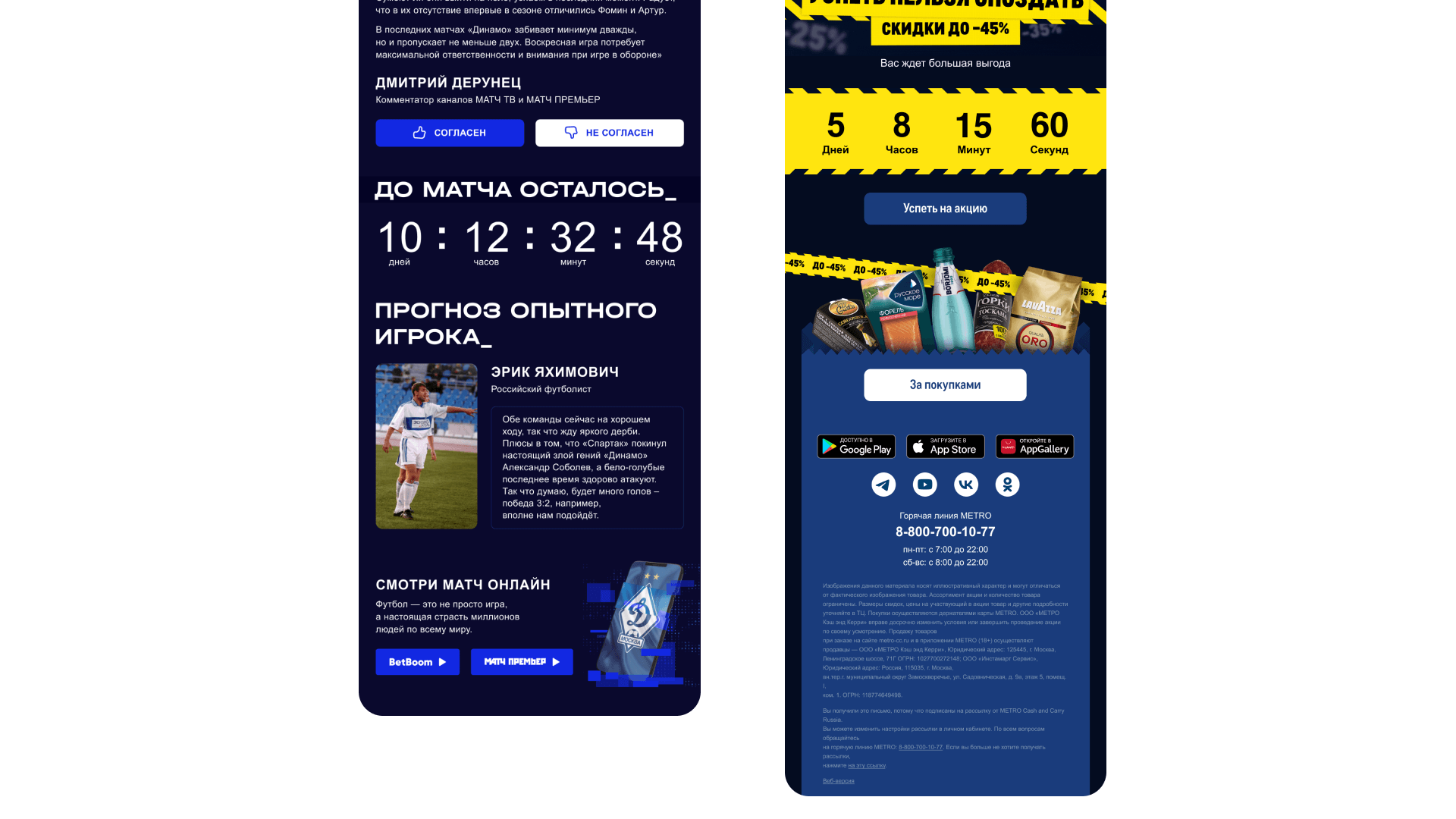
For example, a countdown timer in emails from BetBoom or Metro creates a sense of urgency better than any text. A counter of days and minutes pushes people to decide faster.

Another approach is gamification:
- Ostrovok offers a "What kind of suitcase are you?" quiz with a discount as the reward.
- Krasnaya Polyana embeds a hotel-matching quiz right in the email.
- Aviasales adds interactive maps with travel guides. Emails like these don't just get closed in three seconds — people interact with them and save them.
Case study: when the test and reality diverge
Even a perfect layout can "break" when it's actually sent. At Letteros, we sent out an invitation to a workshop. In the editor, everything looked great: a neat registration button, an unobtrusive unsubscribe link at the bottom.

But on desktop, in a real mail client, the "Unsubscribe" button rendered twice and became huge. It covered up the main call to action and became the most noticeable element in the email. In the end, instead of registrations, we risked unsubscribes.
The takeaway: A test render and reality are two different things. The final check needs to happen in several clients, especially on desktop, where the code behaves unpredictably.
What you need for an audit
For an AI to run a full analysis rather than a surface-level check, you need to gather nine components.
The email's HTML file — the foundation of the analysis; it's used to check structure, code, and the balance of text and images. Screenshots are needed to evaluate visual perception and rendering. The subject line and preheader are analyzed separately — for specificity, emotion, and how well they match the email's content.
The sender's name and address affect trust and deliverability. Campaign statistics — open rate, CTR, unsubscribes — let you compare the email against real results and understand exactly where readers are being lost.
The email's goal and send logic provide context: whether it's promotional, a trigger, or reactivation — the evaluation differs accordingly. The segment matters for understanding how well the content matches the audience. Send time affects open rate and is analyzed as a separate factor.
The more complete the dataset, the more precise the recommendations, and the fewer assumptions the AI has to make.
CRM maturity: 13 self-assessment questions
Our colleagues at Mailfit suggest checking yourself honestly:
- How do you segment customers — by demographics, behavior, interests, or loyalty?
- Do you use personalized greetings and dynamic content?
- Which trigger scenarios are set up — welcome, reactivation, abandoned cart, birthday?
- Is offline purchase data integrated with e-commerce data into a single customer profile?
- Do you have a loyalty program, and how personalized is it?
- How often do you analyze CRM data to adjust your strategy?
- Which channels do you use to communicate with customers, and is the logic consistent across them?
- Which metrics do you track — just opens and clicks, or also LTV and churn?
- Do you have a strategy for communication frequency, and an understanding of when it's "too often"?
- Do you use visual and text content based on customer preferences?
- Is there a dedicated CRM manager or team, or is it handled "on the side"?
- Which KPIs do you track — list growth, retention, LTV, CRM's contribution to revenue?
- Do you have a defined CRM strategy with goals, a campaign calendar, and priorities?
The more "no" answers you have, the clearer your growth opportunities. If CRM is just a way for you to blast out promotions, then you're using only about 10% of your list's potential.
Request a Letteros demo, and we'll show you how to automate checking your campaigns and systematically grow your CTR.