
UTM tags are parameters added to links in an email that pass source data to your analytics system. Without them, analytics only shows "traffic from email" with no breakdown by campaign, email, or specific link. With UTM tags, you can see exactly which email drove a purchase and which button was clicked.
What UTM parameters are
UTM stands for Urchin Tracking Module — a technology Google developed to track traffic sources. It's now supported by every analytics system, including Yandex Metrica.
Parameters are added to a URL after a "?" and separated by "&":
https://letteros.com/blog/?utm_source=email&utm_medium=newsletter&utm_campaign=june_digest
There are five UTM parameters. Three required and two optional.
utm_source — the traffic source. For newsletters, usually email.
utm_medium — the channel. For newsletters: newsletter, trigger, transactional, depending on the type of email.
utm_campaign — the campaign or newsletter name. For example june_digest or black_friday_2026.
utm_content — an optional parameter for distinguishing links within a single email. For example banner and button for different elements.
utm_term — an optional parameter, originally for advertising keywords. Rarely used in email.
How to name your parameters
A consistent naming system is the foundation of clear analytics. If one marketer writes email, another Email, and a third e-mail, your reports will show three different sources instead of one.
A few rules.
Use lowercase letters only. email and Email are different values for analytics.
Separate words with a hyphen or underscore. Spaces turn into %20 and break readability.
Stick to one scheme across the whole team. Document which values you use for utm_source, utm_medium, and utm_campaign.
Example scheme for Letteros:
- utm_source: email
- utm_medium: newsletter for content newsletters, promo for promotions, trigger for triggered emails
- utm_campaign: newsletter-name_date — for example june_digest_2026-06-15
How to add UTM tags
Manually. Add parameters to each link in the email yourself. Slow and error-prone.
Using a generator. Services like Google Campaign URL Builder or Tilda UTM Builder let you fill out a form and get a ready-made link.
Automatically in your ESP. Most email service providers can automatically add UTM tags to every link in an email. Set it up once in your project or campaign settings.
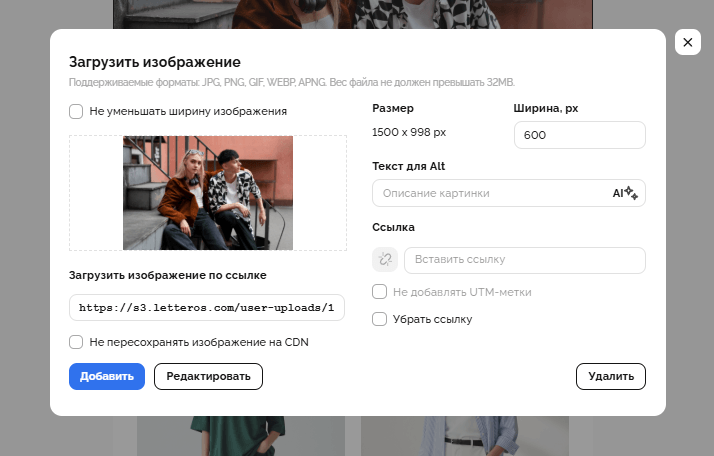
Automatically in Letteros. Letteros has a built-in feature for automatic UTM tagging — every link gets tagged when the email is exported. This eliminates errors from manual tagging.

How to read reports in Yandex Metrica
Once UTM tags are set up, the data appears in Yandex Metrica under "Traffic Sources."
Where to look. Reports — Sources — UTM Tags. This shows the whole hierarchy: source, medium, campaign, content.
What to analyze. Clicks per campaign, pages per session, time on site, and goal completions (purchases, sign-ups, form submissions).
How to compare campaigns. Pick a metric — say, purchase conversion — and compare it across different utm_campaign values. This shows which emails perform best.
Segmenting by utm_content. If one email has several links with different utm_content values, you can see which element gets clicked more often: the banner, a text link, or a button.

A UTM sources report in Yandex Metrica — the Sendsay row shows 519 visits with a 20% bounce rate versus 69% for ad traffic. Email brings in a more engaged audience.
Common mistakes when working with UTM
Tags not applied to every link. If an email has three links and only one is tagged, your stats will be incomplete. Tag every link, including the logo in the header.
Inconsistent capitalization within one parameter. Email and email in utm_source will show up as two different sources in the report.
Campaign names that are too long or unreadable. campaign_v2_final_FINAL_use_this — three months from now, no one will know what this newsletter was. Use clear names with a date.
UTM tags on external links. If a link points to someone else's website, your UTM tags will end up in their analytics — this is incorrect and a privacy violation.
No goals set up in Metrica. UTM tags record clicks, but without configured goals, it's unclear what happens after that click. Set up goals — purchase, form submission, sign-up — before you start tracking.
Summary
UTM tags turn email analytics from "emails bring traffic" into "this specific email from June 15 generated 47 purchases worth 230,000 rubles." This requires a consistent naming system, automatic tagging, and configured goals in your analytics. One hour spent on setup gives you data to make decisions with for months to come.
Read also: