
Most companies announce a sale with a single email on launch day. This works worse than a sequence of several emails, because people aren't ready to buy on the first touch — they need time to want it.
A good sale campaign is built in three stages: warm-up before the start, the active phase, and the final email. Each stage has its own job.
How many emails you need
It depends on the scale of the sale and how long the decision-making cycle is.
Sale type | Number of emails | Campaign length |
|---|---|---|
One-day promotion | 2–3 | 3–5 days |
Week-long sale | 4–5 | 10–14 days |
Black Friday / seasonal | 6–8 | 3–4 weeks |
Fewer than two emails and you're just announcing a discount. More than eight and you start being annoying.
Stage 1. Warm-up
Warm-up isn't advertising for the sale. It's content that makes the audience ready to buy. Send it 7–14 days before the start.
An email about a problem or need
Without mentioning the discount, remind subscribers why they need your product in the first place. An article, a case study, a curated list — anything useful on the topic.
A teaser email with intrigue
3–5 days before the start, you can hint: "Something's coming next week." Don't reveal the details — intrigue works better than a direct announcement.
Stage 2. Sale launch
The first email about the sale is the most important one in the campaign. It has the highest open rate, because the audience is already a bit warmed up.
The structure of the launch email
- Subject line: a specific discount number or a specific offer. "30% off everything" works better than "The big sale has started"
- First screen: the offer is visible without scrolling. No need for a story — people want to know exactly what and for how much
- Specific products or categories. A generic "discounts across the whole catalog" is worse than "discount on winter coats, sneakers, and accessories"
- The offer's duration. A clear end date reduces the number of "I'll look at it later"
- One button. Not three different sections — one CTA, one click-through

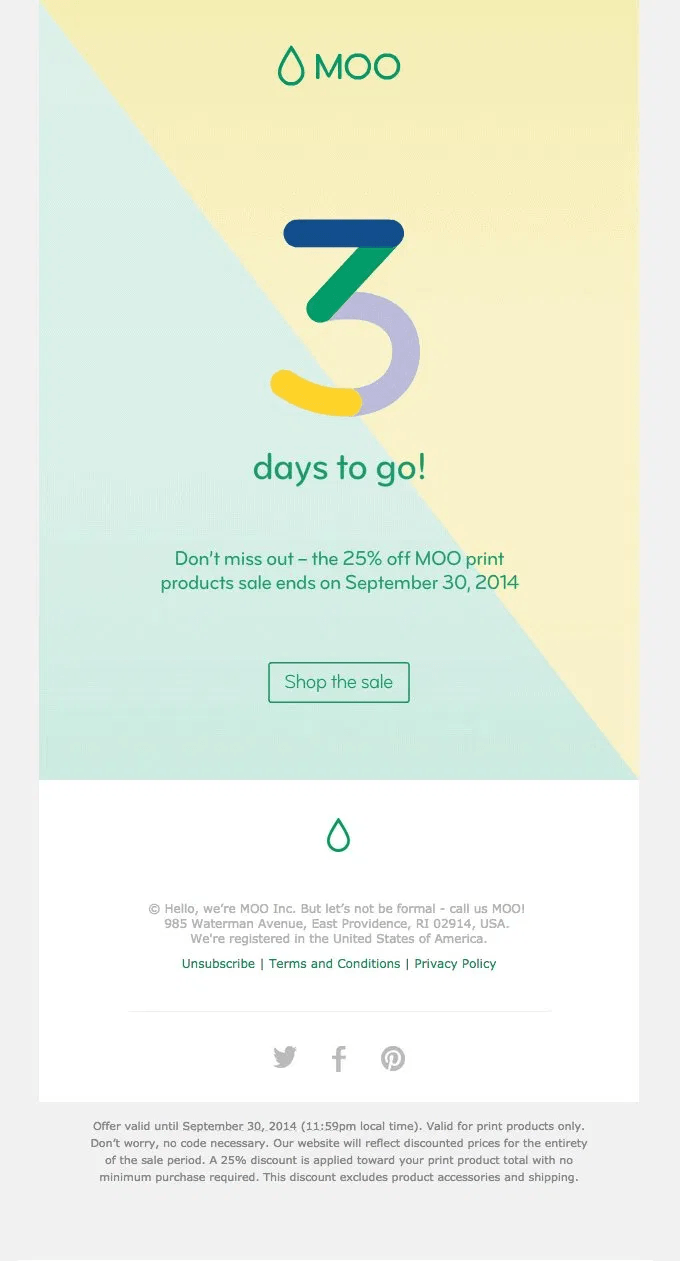
MOO: a large visual emphasis on the deadline, a specific discount, and one button — nothing else to distract
Stage 3. Middle of the campaign
If the sale lasts more than two days, you need one or two emails in the middle. Their job is to hook people who didn't open the first email, or opened it but didn't buy.
Options for mid-campaign emails
- A roundup of top products. "Here's what's selling out fastest" — social proof works better than repeating the discount reminder
- An email with a new argument. Add a testimonial, a case, or an explanation of why it's a good price — don't repeat the same thing
- An email for a segment. If you have preference data, show relevant products to a specific segment

Methodical Coffee shows popular products in three cards — name, price, button. No unnecessary descriptions
Stage 4. The final email
The final email is often the highest-converting email in the whole campaign. People who kept putting off the decision finally make it under pressure from the deadline.
Send it 4–6 hours before the end, not a full day. "24 hours left" is too much time — people put it off again. "5 hours left" creates a genuine sense of urgency.
- A subject line with an exact time. "Sale ends today at 11:59 PM" is better than "Last chance"
- A countdown timer. A visual timer in the email boosts conversion — people see the time, rather than just read about it
- A reminder of the offer. Briefly — the discount, what's included, when it ends
- One button, no alternatives

Made In combines a timer, a personal selection, and a hard deadline — "we won't be extending the sale" removes any hope of waiting it out
People who already bought during the sale shouldn't receive "last chance" and "discount ending" emails. This is annoying and ruins the buying experience. Set up an exclusion for the buyer segment from the rest of the sequence.
What to check before launching
- The buyer segment is excluded from deadline emails
- All links lead to the correct pages with current prices
- The countdown timer in the final email is set to the correct time
- Emails have been checked in Outlook and on mobile
- UTM tags are set on each email separately — otherwise you won't know which email drove sales
More on UTM tags: letteros.com/blog/sovety/kak-avtomatizirovat-prostavlenie-utm-metok-v-pismah
About countdown timers: letteros.com/blog/sovety/kak-sdelat-tajmer-obratnogo-otscheta-v-pisme