
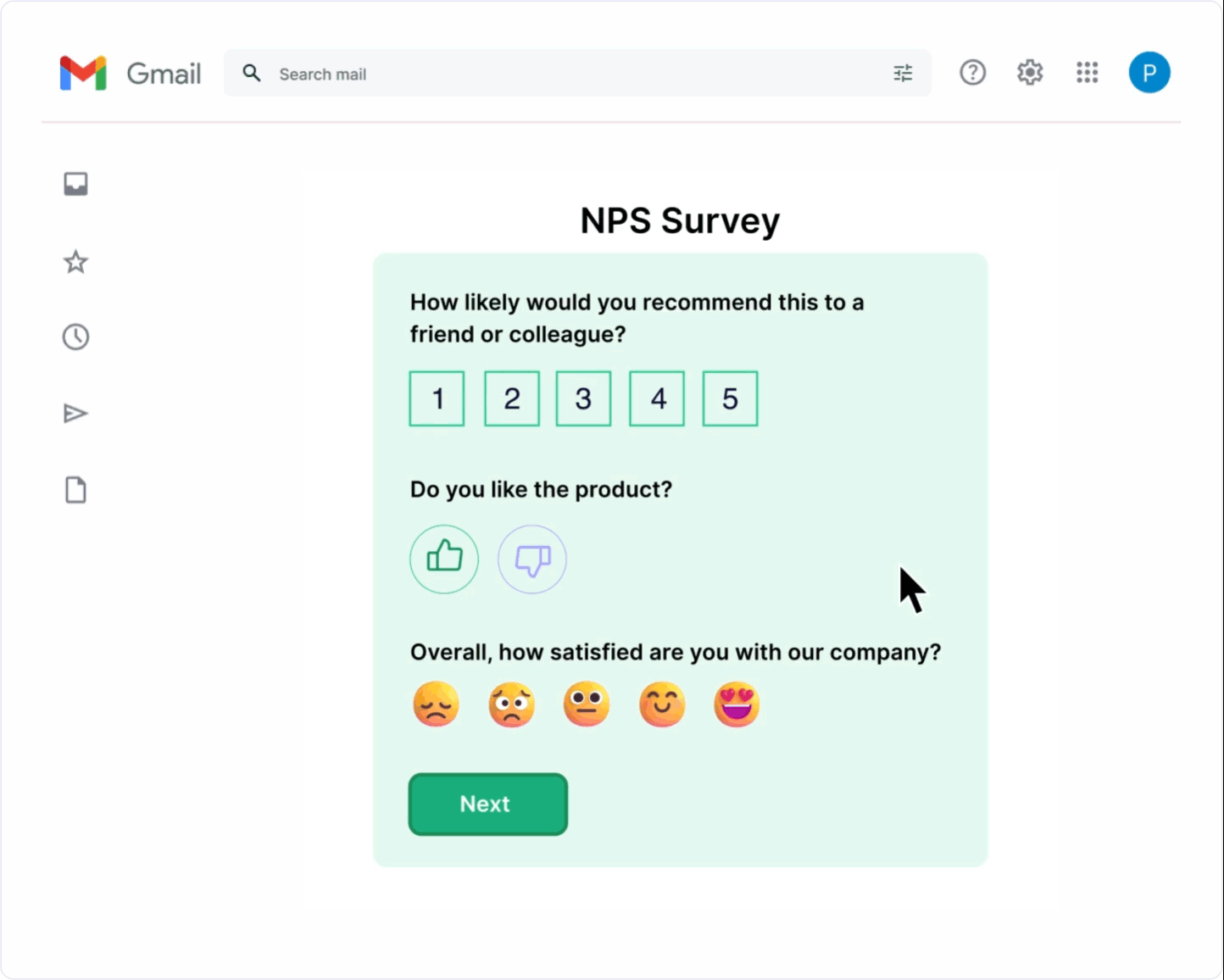
When a subscriber gets an email, they're used to one scenario: open it, click, land on a website, do something there. AMP for Email removes the extra steps and lets the user fill out a form, choose a product, answer a survey, or book a slot right inside the inbox, with no need to visit a website. Whether to implement it depends on your goal, audience, and team resources.
What AMP for email is
AMP for Email is an extension of the standard email format that lets you embed interactive components — carousels, forms, dynamically updating content. The content loads from a server every time the email is opened, so the recipient sees current prices, stock levels, or order status at the exact moment they open it.

The format is supported by Gmail and Mail.ru — the main email clients on the Russian market. Every AMP email must be paired with an HTML version: if the AMP doesn't render, the user simply sees a regular email.
Support across major clients:
Email client | AMP supported |
|---|---|
Gmail (web, iOS, Android) | Yes |
Mail.ru | Yes |
Apple Mail | No |
Outlook (desktop) | No |
Yandex Mail | No |
That means part of your audience will always see the regular HTML version. You should only evaluate results based on the people who actually saw the AMP version.
What you can do with AMP right now
Surveys and forms. The simplest, most effective scenario. A subscriber answers a question or leaves a review right in the email, with no need to visit a landing page. In real-world cases, form completion rates increased 3–5x compared to static emails with a link.
NPS and service ratings. The easier it is to leave a rating, the more people do it. A form inside the email removes the entire "click → website → load → fill out → submit" journey.
Product showcases. A carousel with multiple products, filtering by color or size, adding to cart — all inside the email. For e-commerce, this directly shortens the path to purchase.
Booking and sign-ups. Choosing a date, time slot, or event participation format without leaving the inbox. In real-world cases, registration conversion grew from ~18% to ~30%.
Game mechanics. Prize draws, scratch cards, quizzes, "pick your gift" — all of it can be built in AMP. In one public case study, an interactive game mechanic boosted conversion from 11% to 41%.
Dynamic content. Current prices and stock levels every time the email is opened, order status, a countdown to the end of a promotion.
When it's worth implementing AMP
There's a simple rule of thumb: if there are more than two steps between receiving the email and completing the target action, AMP removes the extra screens and boosts conversion.
It's worth implementing if:
- You run regular surveys or collect feedback. This is the fastest way to see results with minimal effort.
- Your audience is concentrated in Gmail or Mail.ru.
- You sell through newsletters and want to shorten the path to purchase.
- You need to engage your audience through interactivity — quizzes, games, curated selections.
It's better to wait if:
- Most of your list reads email in Outlook, Apple Mail, or Yandex Mail.
- You don't have the resources to build and maintain an AMP version.
- The problem can be solved with a simple improvement to a regular email.
What you need to launch
The list of technical requirements is short, but every item on it is mandatory.
Domain authentication. SPF, DKIM, and DMARC are the bare minimum. Without them, the email won't pass verification.
Gmail whitelisting. To send AMP emails, you need to register with Google — once for each sender address. Google checks that your emails meet the requirements: SPF/DKIM/DMARC are configured, there's a working HTML version, and the email is error-free. You get a response within 5 business days. The registration page is workspace.google.com/gmail/dynamic-email/register

Valid AMP markup. A single error in the code, and the user just sees the HTML fallback. You can check your markup in AMP Playground (playground.amp.dev) — select "AMP for Email" mode, paste in your code, and make sure the green VALID indicator lights up.

HTML fallback. A mandatory part of every AMP email. It needs to include everything necessary: the point of the email, the offer, a link to the website.
A developer or coder with AMP experience. AMP for email uses its own syntax, different from regular coding. The first attempt won't be quick.
How to start: a step-by-step plan
Step 1. Choose one scenario. Don't try to launch a product showcase with filters right off the bat. Start with a one-question survey or an NPS form — it's the simplest option with a fast payoff.
Step 2. Check technical readiness. Make sure your domain has SPF, DKIM, and DMARC configured. Check with MxToolbox. Apply for Gmail whitelisting if you plan to send through it.
Step 3. Prepare two versions of the email. An AMP version with interactive elements, and an HTML fallback — a complete email that works on its own.
Step 4. Run an A/B test. AMP email against a regular one, using the same offer. Compare opens, clicks, and conversions. Give the test time — at least a week, with a large enough list.
Step 5. Evaluate results by segment. Only analyze the people who actually saw the AMP version, not your whole list. Otherwise, the numbers will look artificially low.
Signs of an immature AMP rollout
A few signs your team isn't ready yet:
No clear goal. "We want to try interactivity" isn't a goal. A goal is "increase completed NPS forms by 30% this quarter."
A weak HTML fallback. If the regular version of the email doesn't work well, AMP won't save it.
A game for the sake of a game. A quiz in an email with no clear business logic is an expensive UI experiment that's hard to justify to leadership.
Evaluating the whole list. If 40% of your list reads email in Outlook, your conversion stats will look artificially low. Only look at the Gmail and Mail.ru segment.
Is it worth implementing in 2026
If you send regular communications, your audience is concentrated in Gmail or Mail.ru, and you need to boost conversion without increasing your ad budget — yes, it's worth it. The technology works and delivers measurable results.
If most of your list reads email in Outlook, or you don't have the development resources, first bring your regular emails up to a solid standard. AMP amplifies what's already good — it doesn't fix what's broken.
Start with one scenario. A one-question survey already counts as AMP, and it already works.